Every brokerage account in one portfolio, measured against your targets
See your whole portfolio by position and by category across every account you hold, with a target for each that you choose. Casharchy measures the gap between your holdings and your targets; the decisions stay yours.
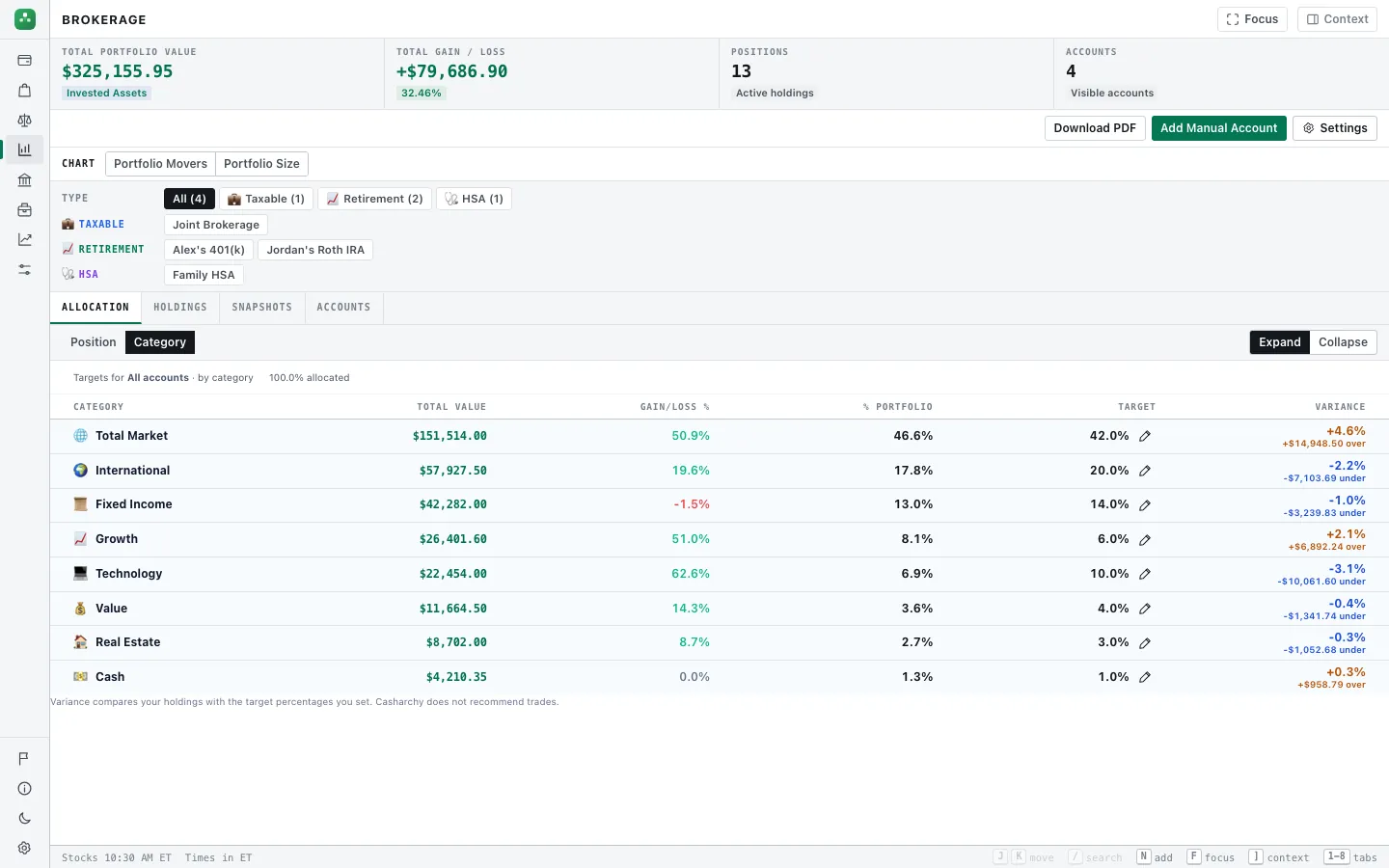
The same fund in four accounts is one position
A fund held in a taxable account, a Roth IRA, a 401(k) and an HSA is shown as one position with one total, measured against one target. You can still look at any single account, or at one account type such as Retirement.
Targets you set, by category and by position
Set a target share for each category and each position, for the whole portfolio or for each account type. The allocation table shows the actual share, your target and the variance in points and in dollars. A target for something you do not hold yet shows as "not held". Casharchy never suggests what to trade, where to put cash or a model allocation, and it never places trades.
Where the numbers come from
Holdings come from your connected brokerages or from positions you enter. Market prices are refreshed every 2 minutes while the page is open and may be delayed; mainstream cryptocurrency is priced the same way. Shares and targets add up to 100% of the holdings in each scope.
Account types (Taxable, Retirement, HSA and any you add) group your accounts in filters, targets and the PDF report, and each type says whether it counts as retirement on Net Worth. Snapshots keep the portfolio’s value over time.
Free and paid
Free, by hand
- Accounts and positions you enter, with market prices
- Targets by category and position, per account type
- Snapshots, Portfolio Movers and the Portfolio Report PDF
Paid, with bank connections and AI
- Brokerage, retirement and HSA accounts connected through Plaid
- Holdings and cost basis update on their own
- A daily sync before each snapshot
Try it with your own numbers
Free when you enter figures by hand. Bank connections through Plaid and the AI tools are $8 a month, or $80 a year (2 months free). No card needed to start.